Setting up a day care centre
A day care centre needs five things before its first user: its approval, its opening days, a day room, the amounts of the CSJ forfait and its own day price.
1. Record the CSJ approval
A day care centre has its own INAMI number — one starting with 755 to 758, ending in 000 — and Resthome records it on an establishment of its own, with its eHealth certificate. See eHealth and eFact settings.
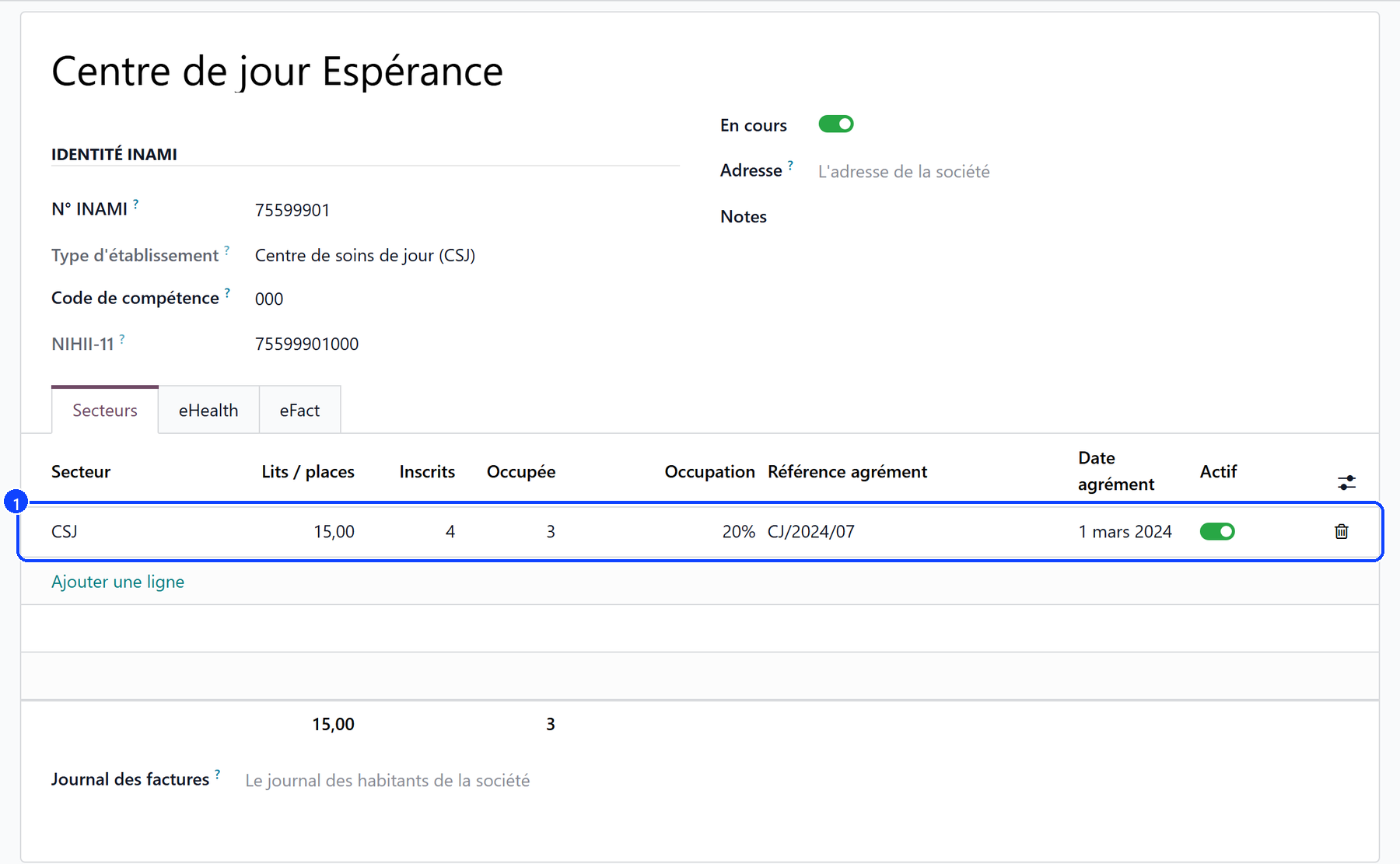
Go to Settings → Approvals → Manage establishments and approvals and create the establishment of the day care centre: its name and its INAMI number. Resthome reads the type from the number.
Under its Sectors tab, add a line with CSJ as sector and the number of places it covers under Beds / places (1).
Open the line: the approval’s own form carries the reference, the date and the opening days below.
A house that runs a rest home as well keeps its MR and MRS approvals next to it, on the rest home’s own establishment: an admission is only offered the sectors the house is licensed for.
2. Set the opening days and hours
On the CSJ approval, the Opening days and hours section (2) says when the centre opens: the days from Monday to Sunday, Opens at and Closes at. It starts from Monday to Friday, 8:00 to 18:00 — the legal floor.
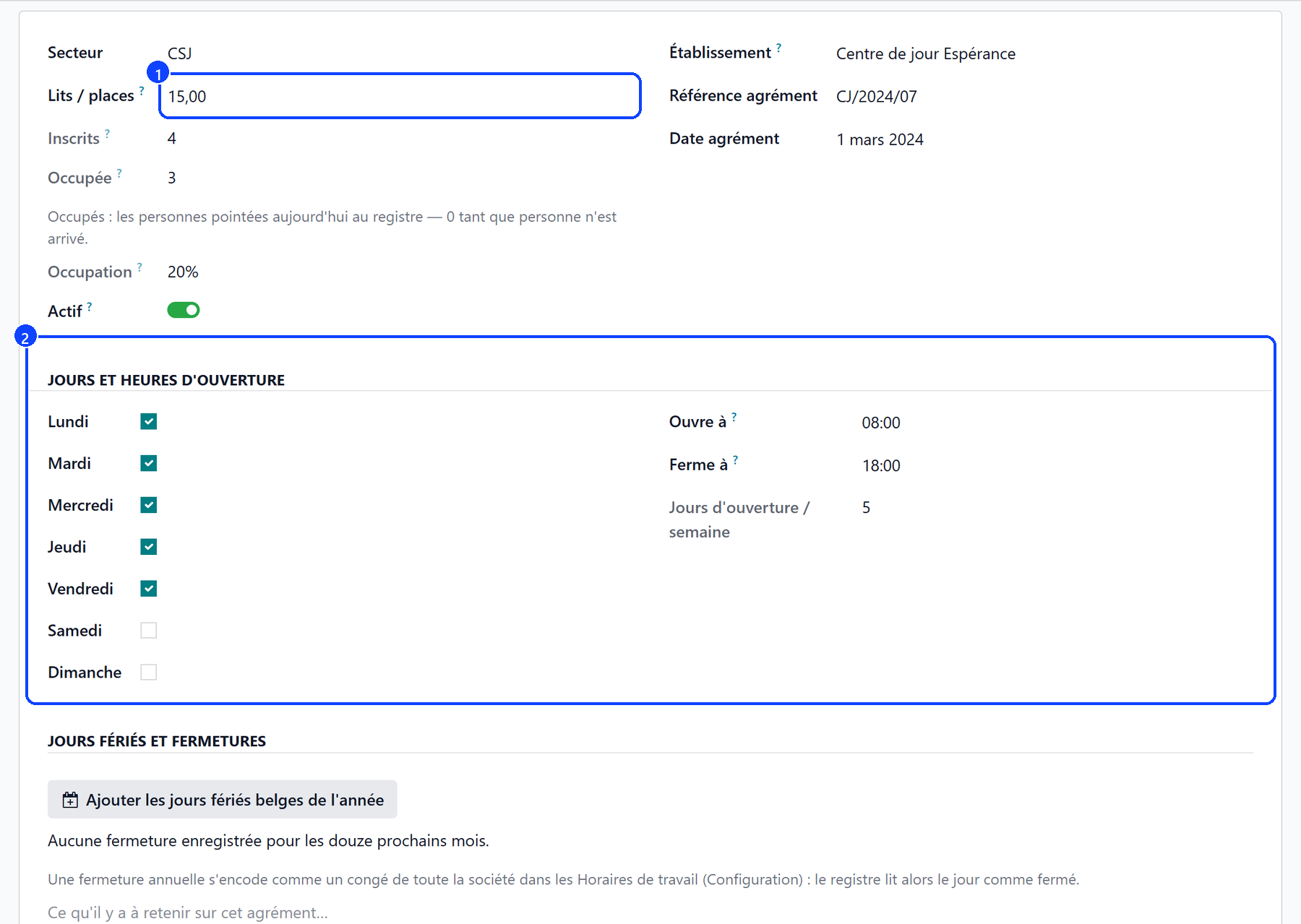
Open Days / Week counts the days ticked.
Below the Norm lights up under five days a week, or with a window narrower than 8:00–18:00. It is said, never blocked: what the centre opens is its own to declare.
Enrolled counts the users whose stay is running: more users than places is normal for a day care centre — they do not all come the same day.
Occupied and Occupancy count the users ticked in at today’s register against the places: 0 until someone arrives.
These days are read everywhere else: a day recorded in the register on a day the centre is closed is flagged Centre closed that day, and a user with no agreed days is expected on every day the centre opens.
Public holidays and closures
The Public holidays and closures section of the approval says which days the centre shuts, on top of its weekdays:
Add the Belgian public holidays of the year records the ten legal public holidays, from New Year’s Day to Christmas Day, as closures of the whole company. A day already recorded is skipped.
A yearly closure is entered as a time off of the whole company in the company’s Working Hours (Configuration).
Below the button, the closures of the next twelve months are listed with their reason.
A public holiday or a closure reads as a day the centre is closed, exactly as a weekday left unticked.
3. Create the day room
A day care user holds a day place, never a licensed bed.
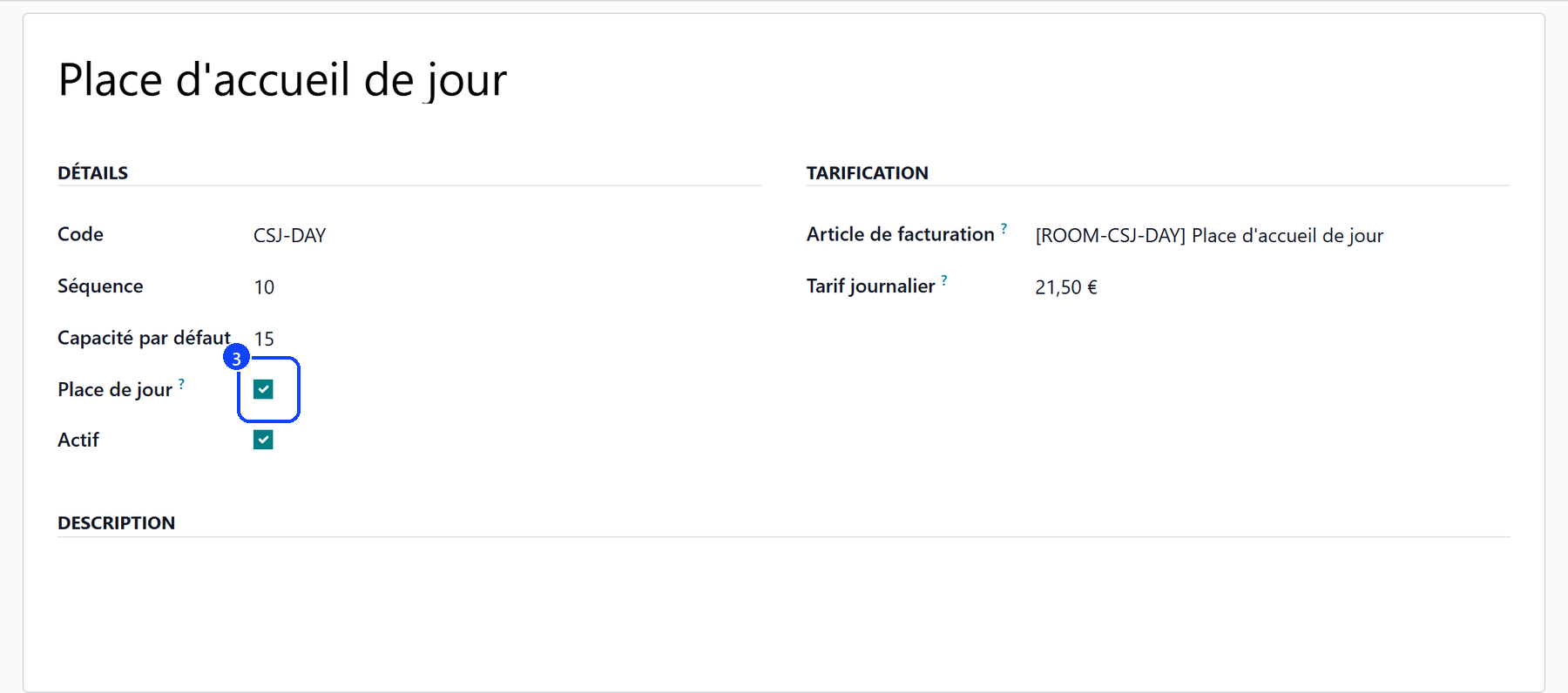
Under Configuration → Rooms → Room Types, create the type of the day room and tick Day Place (3).
Under Accommodation → Rooms, create the room with that type, and the number of places as its capacity.
The Daily Rate of the type is the centre’s day price, set in step 5.
From then on:
a day care stay only goes in a day place, and a residential stay never does;
every room picker offers day places to a day care stay, and beds to the others;
a day room reads « 15 day places » in the pickers, never « free beds »: the places are shared, and a centre enrols more users than it has places.
4. Fill in the CSJ rates
The health insurer pays a daily forfait per CSJ category. Under Billing → Configuration → INAMI Rates, the grid carries one row per CSJ category, each with its own pseudo-code:
Category |
Pseudo-code |
|---|---|
F |
126036 |
Fp |
126073 |
D |
126095 |
Fd |
126117 |
Enter the amount in force from its start date (4). The amount is the same for every category: the category declares the user’s profile to the insurer. The list opens on the current year: use the Currently valid filter to see the rates in force whatever year they started.

Warning
A rate left at 0.00 EUR bills no forfait. Resthome never sends a claim at zero: the month’s generation says which users were left without one, and why.
5. Set the centre’s day price
What the user pays is the centre’s day price: the Daily Rate of the day place’s room type, under Configuration → Rooms → Room Types (5).
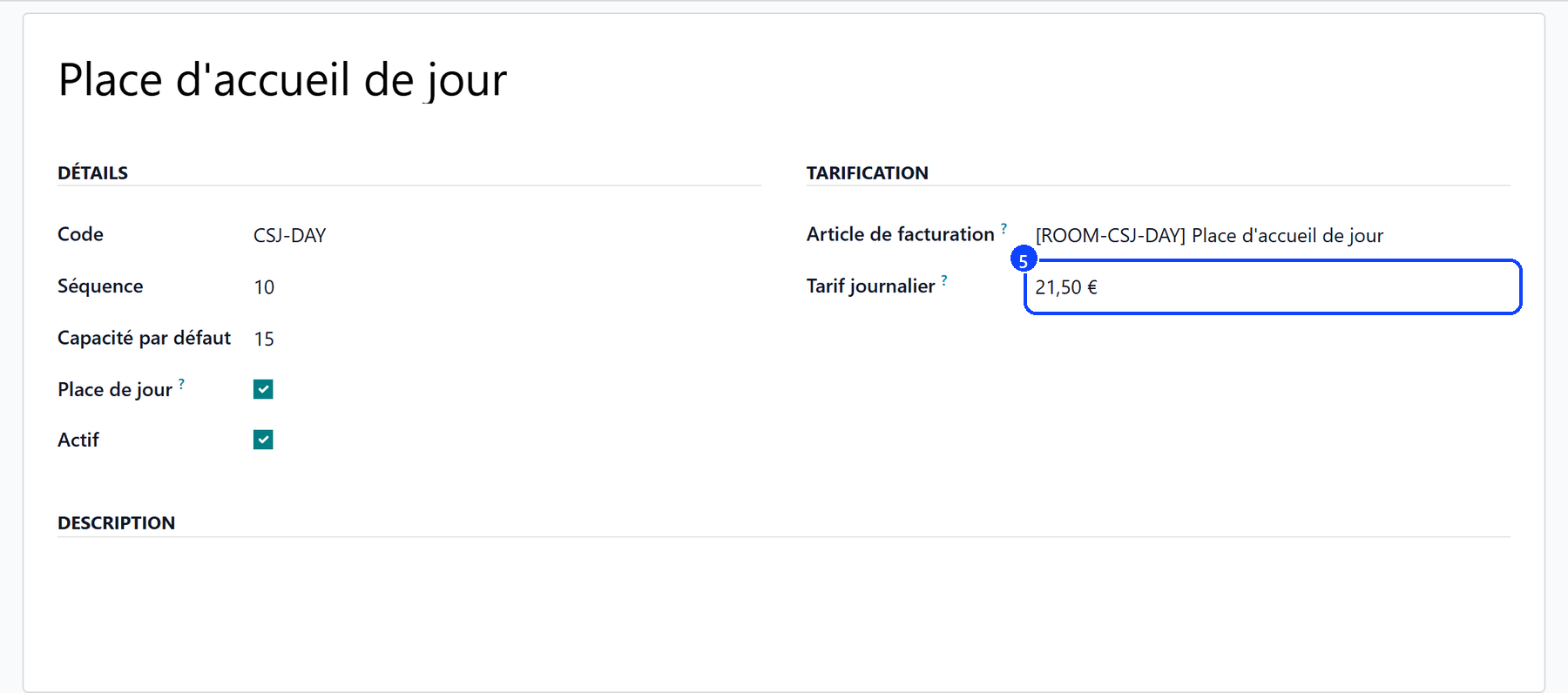
Every day attended is billed at that price, on one line a month with the days attended as its quantity.
Nothing is subscribed at admission: the price follows the place.
A place left at 0.00 EUR bills the user nothing; a note on the user’s file says so when the stay starts.
What’s next
Admitting a day care user — the stay, the days expected, the category, the agreement.
Recording attendance — the register of the day, and one day at a time.